Creative Juices Design
  • Home
  • Logos
  • Websites
    • Website Design Service
    • Domain Name Search
    • Web Hosting
    • Custom Video Productions
  • Design Services
    • Book Design
    • Brochure Design
    • Stationery
    • Postcards
    • Ad Design
    • CD Design
    • Writing and Editing
    • Displays and Signage
    • Marketing
    • Printing
    • One on One Design Help
    • FAQs
    • Web Site Terms and Conditions of Use and Privacy Policy
  • About
  • Blog
  • Contact

Archive for August 2010

18 Aug

6 Easy Steps to Add PDF Files to iBooks through iTunes

One of the many great things about your iPhone and iPad is that you can easily load up a pdf file for later reading. Then, whenever you have a spare moment, either while waiting on line at a supermarket or bank, waiting in an airport or doctor’s office, or just waiting for a TV commercial to end (assuming you did not DVR it to speed past commercials), you can click on your iThing and read your latest pdf file or e-book.

1. Open iTunes.

2. On the top menu click “File”. On the drop down menu click “Add to Library…”
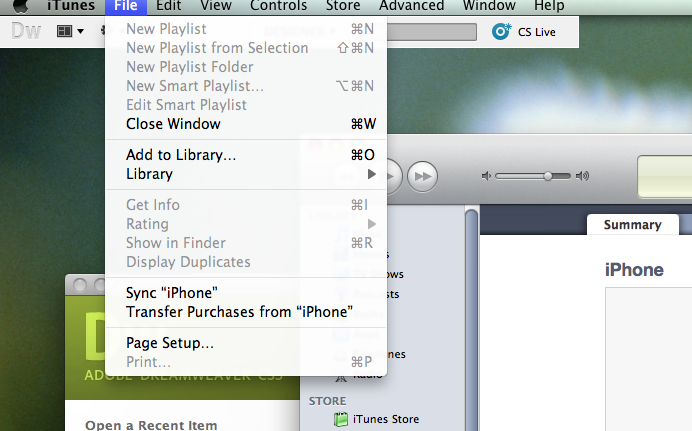
3. Navigate to your e-book or pdf file and choose it.
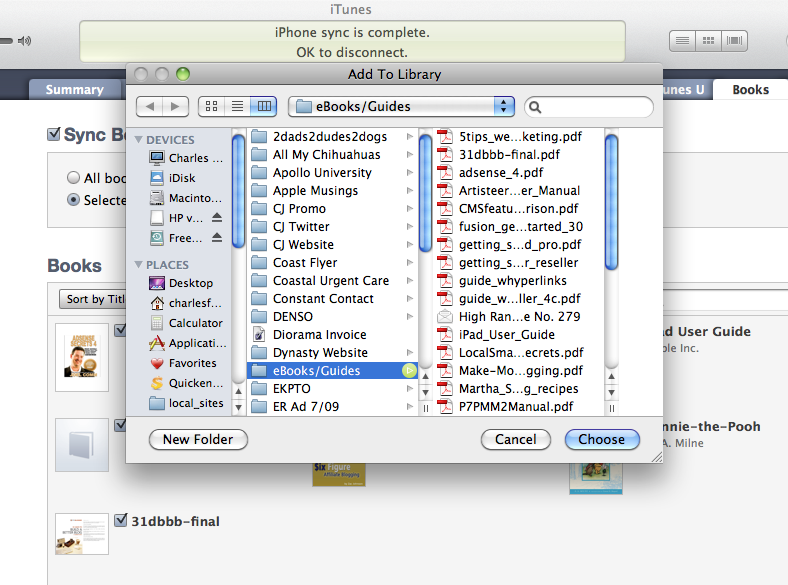
4. In iTunes click on your iPhone or iPad in the side menu.

5. Choose the Books tab and you will see the file. Make sure it’s checked.
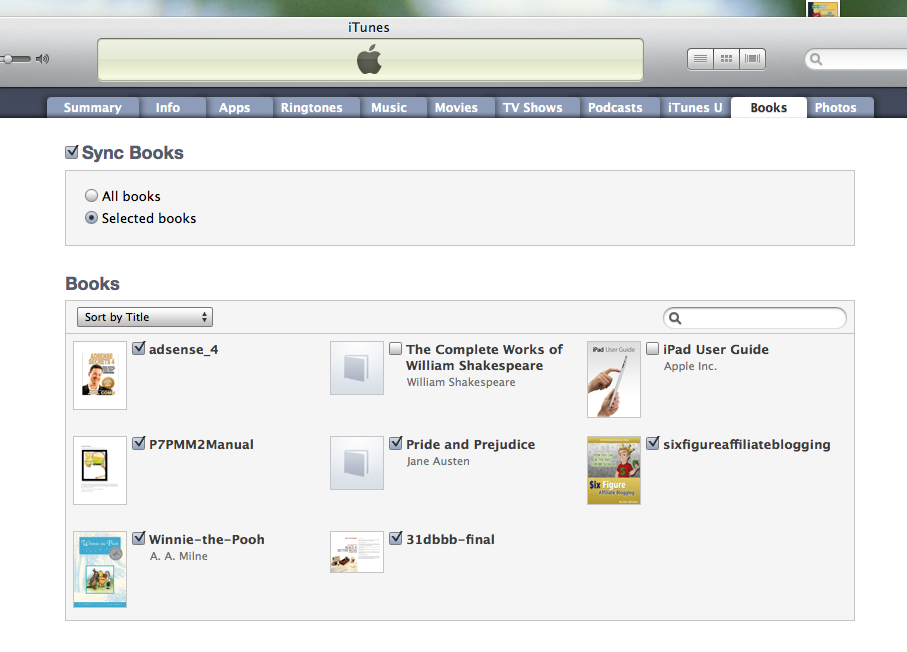
6. Sync your iPhone or iPad and your pdf file will appear in iBooks under the pdf tab.

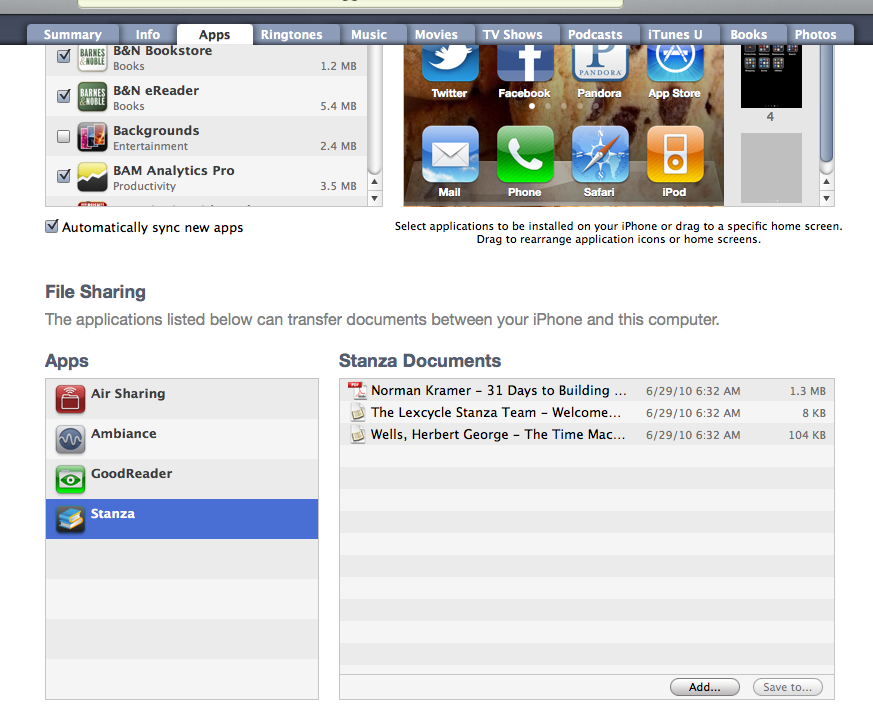
See, it’s simple. There are other ways to get files onto your iPhone or iPad, including Dropbox, Air Sharing, Stanza and GoodReader apps but I’ll leave that for another post.

iPad iPhone Technology
09 Aug

The Truth About Logo Design Companies

There are many ways to get a logo today. You can create one yourself if you have design capabilities. You can buy a logo design software package for $29 and put a few graphic elements together along with your company name.

You can go online and find a logo design factory that charges only $99 or $149 for a logo with unlimited changes. Realize, of course, that your logo will most likely be designed by students or recent graduates with limited experience. And you will be encouraged to order something else to help the logo design factory generate enough money to make up for that cheap logo.

Or you can hire an experienced graphic design company and pay a fair price for a product that will best represent you and your company.

Get Your Online Logos Now

It used to be that a professional logo design would cost you a minimum of $500 and an average of $1500. You were dealing with professional artists and graphic designers who had many years in the business designing logos. They had talent and experience. They knew how well your logo would stand out in color and black and white. What colors would go with your product and service and what design would create the best public image for your company. You met with the artist in person and discussed your preferences and options. And they took the time to follow their creative process. Creativity is not instantaneous.

Today you can go online and get an instant logo for $99 or $149. How much time and effort do you think was spent on creating that logo?

Keep in mind that your business logo is a graphic representation of your brand. Typically you keep your logo for many, many years. When people see your logo they get an immediate feeling about your business, whether it’s conscious or not. Do you really want that image to be cheap?

Professional Logos Cost Money

Think about big companies like Apple, Nike, Coca Cola, Pepsi, Microsoft, etc. Do you think they contacted an online logo factory and paid $99 for their logo design. I think not. They took the time and spent the money to carefully research their image and brand. They spent thousands of dollars. Maybe even hundreds of thousands of dollars building a brand image that matched their product or service.

Choose Your Logo Creator Wisely

So when it comes time to choose a company or person to create your own company’s brand image, don’t you think you deserve to get something that best represents you? I think you do.

You want to be proud of your company. You want to be successful. And you most certainly want to present an image of yourself that is both professional and exudes success. To achieve this you have to spend a little bit of money.

And always remember. You get what you pay for. This fact almost never changes.

Advertising Branding Helpful Hints Logo Design
03 Aug

10 Great WordPress Plugins

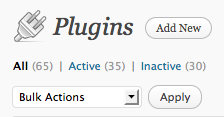
WordPress has become one of my favorite ways of creating a self-hosted website. Part of the reason is because of the growing number of plugins that add functionality to your site. Here are a list of some of my current favorites. On your WordPress Dashboard go to the Plugins tab, click Add New and do a search for these highly useful add-ons.

  1. All in one SEO Pack Out-of-the-box SEO for your WordPress blog. Appears on every page and makes adding keywords and meta tags easier.
  2. Easy Adsense Easiest way to show AdSense and make money from your blog.
  3. Exclude Pages from Navigation Provides a checkbox on the editing page which you can check to exclude pages from the primary navigation. Very helpful for those special landing pages.
  4. Follow Me The Follow Me plugin is designed to allow users the ability to add links to their social media profiles in their blog. Shows up on the side with a pop up of your chosen social media such as Twitter and Facebook.
  5. Google Analytics for WordPress This plugin makes it simple to add Google Analytics to your WordPress blog, adding lots of features, eg. custom variables and automatic clickout and download tracking.
  6. My Category Order My Category Order allows you to set the order in which categories will appear in the sidebar. Uses a drag and drop interface for ordering. Adds a widget with additional options for easy installation on widgetized themes.
  7. My Link Order My Link Order allows you to set the order in which links and link categories will appear in the sidebar. Uses a drag and drop interface for ordering. Adds a widget with additional options for easy installation on widgetized themes.
  8. My Page Order My Page Order allows you to set the order of pages through a drag and drop interface. Perfect if your theme is not exactly WordPress 3.0 compatible.
  9. NextGEN Gallery A NextGENeration Photo gallery for the Web 2.0. Lots of options to choose from.
  10. WP-DBManager Manages your WordPress database. Allows you to optimize database, repair database, backup database, restore database, delete backup database , drop/empty tables and run selected queries. Supports automatic scheduling of backing up and optimizing of database.

By the way, did I mention these plugins are all free? Some of them do ask for donations and I encourage you to do so. Somebody has to support these people so they can continue to create the wonderful plugins.

Helpful Hints Search Engine Optimization (SEO) Website Design

Follow Us

Facebooktwitterpinterestlinkedin

Click Image for Professional Logos Starting at $75

Creative Logos

Shop Amazon

Creative Juices Graphic Design Studio | Copyright © 2026 All Rights Reserved